
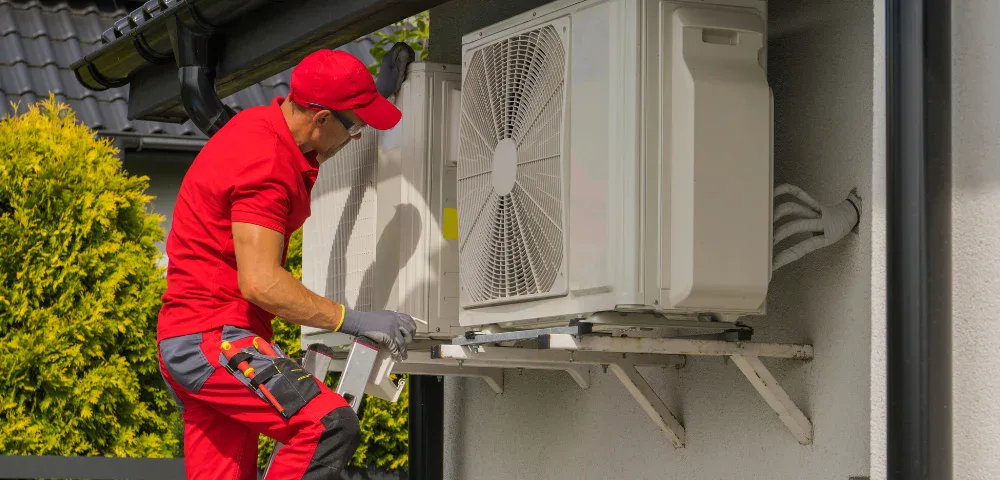
Wiring a heat pump thermostat requires careful attention to safety and accuracy. Incorrect connections can damage the HVAC system, interrupt the heating and cooling cycle, or create electrical hazards. A heat pump uses a reversing valve to switch between heating and cooling modes, unlike a furnace that only provides heat. Many systems also include backup heat through electric heat strips inside the air handler for colder weather.
This guide explains common thermostat wiring used in most residential heat pump systems, typically using five to eight wires.
Important Safety Notes Before Wiring
Before beginning the wiring process, take a few essential safety precautions.
- Always turn off the power to the heat pump system at the circuit breaker.
- Thermostat wiring uses low voltage (24-volt) electricity supplied by a transformer, but a short circuit can still damage the control board.
- Take photos of the existing thermostat connections and ensure each wire label matches its original terminal.
- If the number of wires exceeds basic configurations or the system uses dual fuel, a mini split system, or advanced staging, it is best to contact a professional or an AC service tech.
These precautions help protect both the digital thermostat and the HVAC equipment.
Standard Heat Pump Thermostat Wire Color Code and Terminal Functions
Understanding the thermostat wire color code is important before you wire a thermostat. The wire color usually indicates its role in the circuit path, though installers sometimes vary the colors.
R Wire (Power Source)
The R wire provides 24V power from the transformer to the thermostat.
- Red wire → R terminal
- Some thermostats separate this into the Rc terminal (cooling system) and the Rh for heating.
The R wire provides power, while the C wire completes the circuit for thermostats that require constant power.
C Wire (Common Wire)
The C wire or common wire completes the low-voltage circuit.
- Blue or black → C terminal
- A digital thermostat uses the C or common wire for constant power.
Many smart thermostats require this thermostat wire to operate correctly.
Y Wire (Compressor)
The yellow wire connects to the Y terminal and signals the compressor.
- Used for both air conditioning and heat pump heating operations.
G Wire (Fan Control)
The green wire controls the blower fan inside the air handler.
- Connects to G terminal
- Allows manual fan operation from the thermostat setting.
O/B Wire (Reversing Valve)
The reversing valve switches the heat pump between heat/cool. Thermostat energizes it via O or B (only one used).
- Most brands: Orange → O (energized in cooling).
- Rheem/Ruud etc.: Blue/orange → B (energized in heating).
Match old labels or manual, not just color. In setup menu: choose “O / Energized on Cool” (default most) or “B / Energized on Heat”.
W Wire / Aux Heat
The white wire typically activates auxiliary heat or a backup heat source.
- W wire → W terminal or W1 terminal
- W2 may activate additional heat strip stages.
These electric heat strips inside the air handler support the system during very cold weather or defrost cycles.
Step-by-Step Guide to Wire a Heat Pump Thermostat
Step 1: Cut Power to Stay Safe
Disconnect power to the HVAC system before beginning the wiring process.
- Locate the HVAC circuit breaker labeled heat pump, air handler, or furnace system.
- Turn the breaker to the OFF position to cut the power source.
- This prevents damage to the control board and protects the low-voltage thermostat wiring.
- Verify the thermostat display is blank before continuing.
Step 2: Remove the Old Thermostat Carefully
Carefully remove the old thermostat or existing thermostat from the wall.
- Remove the front display.
- Take a clear photo of the thermostat wiring diagram created by the existing connections.
- Label each thermostat wire according to the terminal it connects to.
- Loosen screws and gently disconnect the wires.
Then remove the base plate of the thermostat from the wall.
This step is important because the new thermostat must connect to the same terminal labels used in the previous setup.
Step 3: Securely Mount the New Base Plate
Install the base plate for the new thermostat.
- Feed the thermostat wires through the center opening.
- Use wall anchors if installing on drywall.
- Ensure the plate is level.
The thermostat connects to this base once wiring is complete.
Step 4: Connect Thermostat Wires Correctly
Strip about ¼ inch of insulation from each wire if needed. Insert each thermostat wire into the correct terminal on the thermostat base.
Typical Heat Pump Thermostat Wiring Example
Always match terminal labels from the previous thermostat or the system wiring diagram rather than relying on wire color alone. Most residential heat pump systems connect thermostat wires to the following terminals:
- R → Power from the transformer
- C → Common wire for constant power
- Y → Compressor contactor
- G → Indoor blower fan
- O/B → Reversing valve control
- Aux or W1 → Auxiliary heat (backup heat strips)
- W2 → Second-stage auxiliary heat (if the system supports additional heating stages)
- Y2 → Second-stage compressor (in multi-stage heat pump systems)
Note: Wire colors may vary depending on the installer and the thermostat cable used. Always match each wire to the terminal label from the previous thermostat or the HVAC system wiring diagram rather than relying only on color.
Ensure no exposed copper touches another terminal before securing the wires.
Step 5: Attach the Thermostat Display Safely
Task: Install the thermostat display and restore power.
- Align the new thermostat display with the mounted base plate.
- Press or screw the display securely into place.
- Ensure the wires are neatly tucked into the wall opening without being pinched.
- Turn the circuit breaker back on to power the thermostat.
Step 6: Configure Thermostat Settings Accurately
When powering on a new thermostat, follow the installation prompts. Important thermostat setting options include:
- System type → Heat Pump
- Reversing valve configuration → O or B
- Auxiliary heat enabled
- Backup heat source
The thermostat uses these settings to correctly operate the heating and cooling systems.
Step 7: Test Heating and Cooling Modes
After setup, test the heating and cooling functions.
- Set the thermostat to Heat and increase the temperature.
- The heat pump system should activate.
- Switch to cooling mode to confirm the air conditioning cycle works.
- Test the emergency heat to ensure the auxiliary heat strips activate.
If the system fails to respond correctly, check the wiring and verify the thermostat wiring diagram.
Common Wiring Variations
Some installations differ depending on the HVAC system design.
Systems Without a C Wire
- Older systems may have two wires or lack a C wire. Many modern thermostats need a common wire for stable power.
- A power extender kit may be required.
Multi-Stage Heat Pumps
- Some systems include W2 and Y2 wires.
- These control second-stage compressors or additional backup heat.
Dual Fuel Systems
- Homes that combine a heat pump with a furnace use a different configuration and may require professional setup.
Quick Troubleshooting: Fix Common Thermostat Issues
| Problem | Possible Cause | Quick Fix |
| The thermostat won’t power on | Missing or disconnected C wire | Check C wire connection or use a power extender kit if required |
| Heat mode doesn’t activate | Reversing valve misconfigured | Verify O/B setting matches your system type in thermostat settings |
| Cooling mode fails | Y wire is loose or disconnected | Ensure Y terminal is securely connected |
| Fan won’t run | Loose G wire or blower issue | Secure the G wire and check the blower function |
| Backup/auxiliary heat not working | W1/W2 wires disconnected or staging misconfigured | Confirm W1/W2 wiring matches the thermostat diagram and settings |
| The display shows errors | Incorrect thermostat configuration | Recheck system type, reversing valve, and auxiliary heat settings |
| The system behaves inconsistently | Multi-stage or dual fuel system miswired | Consult the wiring diagram and, if unsure, contact a professional HVAC technician |
If the issue continues after these checks, the problem may involve the control board, wiring inside the air handler, or system configuration. In such situations, a qualified HVAC technician should inspect the system. Maine Energy Experts provides professional heat pump installation and energy-efficient system solutions that help ensure heating and cooling equipment operates safely and efficiently.
Final Thoughts
Learning how to wire a heat pump thermostat correctly ensures efficient heating or cooling, proper backup heat, and reliable system performance. Following a clear step-by-step wiring process and referencing the correct wiring diagram makes the installation much easier.
When the thermostat connects properly with the heat pump, the air handler, compressor, and reversing valve all operate in sync. This allows the system to transition smoothly between heating and cooling modes.
Having Trouble Wiring Your Heat Pump Thermostat?
Professional HVAC service can help ensure the system operates safely and efficiently.
Contact Us!